
Features
Everything to run the job, in one platform
WorkerX brings the whole workflow together: measure on site, quote on accurate costs, build it on the factory floor, pay the team on outcomes, and watch the numbers as you go. Here is each area in detail.
Lead management
Track every prospect from first contact to signed quote. Log calls, set follow-up dates and score lead strength, so the pipeline stays active and nothing slips through.
- Prospect pipeline. Log contacts with lead strength, motivation and follow-up dates, so warm leads stay visible and nothing drops off.
- One-tap to quote. Convert a lead to a formal quote without re-entering details; the customer record carries straight through.
- Call and contact history. Phone numbers link directly for calling, and contact history stays attached to the lead record.
- Follow-up reminders. Set a follow-up date and get notified when it arrives, so no prospect goes cold by accident.
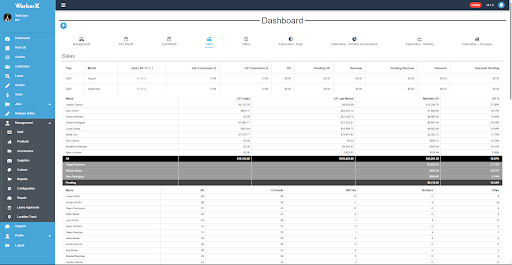
Quoting
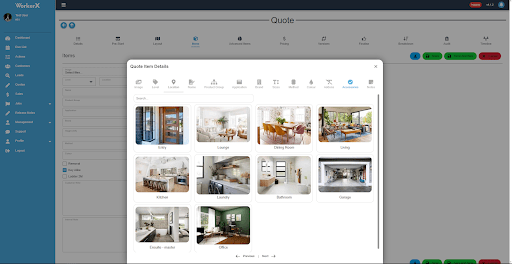
Immediate, accurate cost breakdowns with pricing your customers can see in real time. Product details, customer profiles and pricing flow into one process, so quotes go out fast and right.
- Instant cost breakdown. Real-time pricing pulled straight from your product costing, so every quote reflects true cost.
- Mandatory and optional accessories. Essential components are added automatically; optional extras let customers tailor the quote.
- Pricing and finalise in one flow. Product breakdown, signing, payment plans and customer comms, all in a single step.
- Versioning and a wizard tool. Adjust an existing quote without starting over, with a step-by-step guide for new users.
- Xero linked, Stripe deposits. Quotes and payments track through to Xero, with Stripe for deposits.
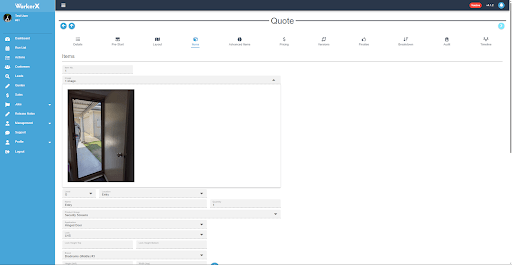
Measuring
Capture measurements on site and turn them straight into a quote, with the right accessories added automatically. Fewer errors, less double-handling.
- Measure and quote together. Real-time measurement data flows into the quote with the accessories each measurement needs.
- Automatic adjustments. Measurements are corrected internally, so no prior experience is needed to get them right.
- Finalise and cost variations. Roll all costs and changes into a single, clear step before fabrication.
- Stripe progress payments. Take progress and final payments securely as the job moves.
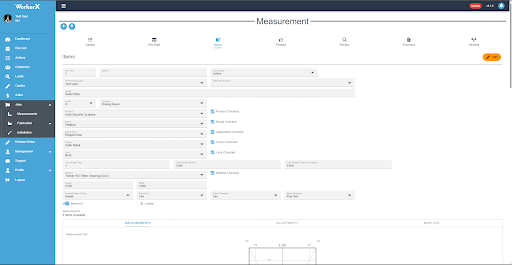
Product costing
Costing that reflects how you actually build. Combine components, fold in labour and overheads, and adjust for the season, so your margins hold.
- Customisable supplier pricing. Adjust pricing for agreements, negotiations and market shifts, with accurate cost assessments.
- Buy multiple, combine to one. Purchase individual components and combine them into a single finished product for sale.
- Labour and overheads built in. Hourly labour costs and automatic overhead allocation keep product costs precise.
- Seasonal margins, unlimited suppliers. Flex margins by season, and source from as many suppliers as you like.
Fabrication
Run the factory floor with clear stages, live timelines and a points system that keeps the team moving and the job on track.
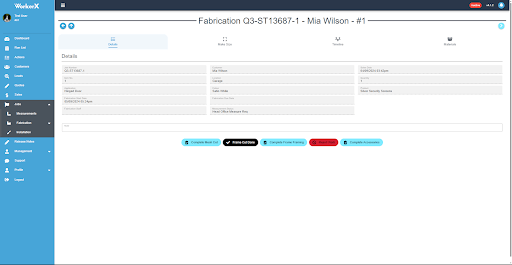
- Item management. Isolate and manage each component, like framing, mesh and cutting, for tighter tracking.
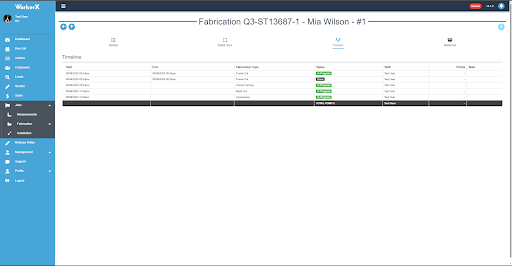
- Fabrication timeline. Track job progress through every stage of the build.
- Digital button pressing. Move jobs along the workflow with simple, intuitive digital steps.
- Material breakdown and points. See the materials each job needs, and manage performance with a points system.
- Printable sheets, Stripe payments. Print job details when needed, and take progress and final payments via Stripe.
Installations
Manage the install stage end to end: from a wishlist of pending jobs through to crew scheduling, on-site tracking and digital sign-off.
- Wishlist to job list. Pending installations queue in a wishlist until scheduled, then move to the active job list for the field crew.
- Crew scheduling. Assign staff to installation jobs and sync directly to their Google Calendar, so the day is clear before they leave the yard.
- Per-item tracking. Track each component of a job separately (frame, mesh, fixings) so nothing gets skipped on site.
- Digital sign-off. Both the installer and the customer sign off digitally at completion. The record stays in WorkerX, not on a paper docket.
Job scheduling
Dispatch field staff across quote visits, measurements and installations with a live calendar, map view and drive-time calculations, so the day is planned around what is actually achievable.
- Calendar and map views. Switch between a day and week calendar or a live map to plan visits and cut unnecessary travel between jobs.
- Drive time calculations. Google Routes calculates travel time between stops before a job is confirmed, so scheduling is based on what fits.
- Unscheduled work queue. Pending quote visits, measurements and installations all surface in one place, so nothing waits unnoticed.
- Staff and area assignment. Match consultants to jobs by service area and availability, with Google Calendar sync keeping everyone aligned.
Staff management
Pay for the outcomes that matter. Commissions tie to gross profit, accuracy and completion, so good work is rewarded and the numbers stay healthy.
- Sales commission on GP, not revenue. Commissions come from the profit on a sale, not the headline amount.
- Measurement commission. Reward accuracy: jobs completed measured against mistakes made.
- Fabrication commission. Monthly, points-based targets linked to product costing, with healthy competition between staff.
- Time tracking. Staff clock in and out via the app, with break tracking and activity types, so timesheet data is captured without chasing paper.
- Geofence auto-clocking. Register a device to a site and WorkerX clocks staff in and out based on location, removing manual timekeeping entirely.
Location tracking
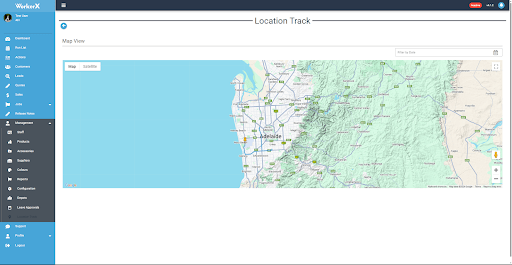
Keep field jobs on time and timesheets honest, with reminders for the team and real-time location for safety.
- Job time management. Track time on each job to keep scheduling tight and deadlines met.
- Timesheet verification. Location data validates timesheets so recorded hours are accurate.
- Travel reminders and safety. Automated reminders keep staff punctual, and live location supports a quick response in an emergency.
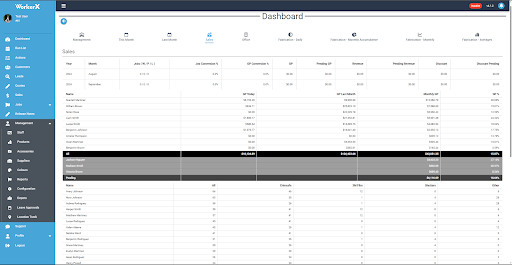
Dashboards
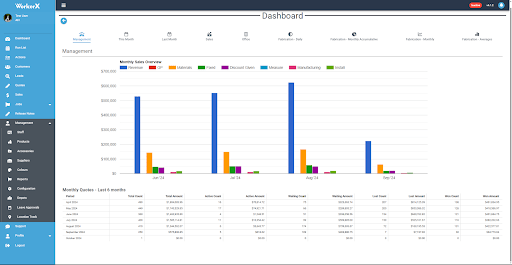
The numbers that run the business, on one screen. Management, sales, office and fabrication views, plus custom dashboards for the areas you care about.
- Management dashboard. Sales revenue, monthly quotes and overall progress for informed decisions.
- Sales dashboard. Individual performance, conversion rates, gross profit, revenue and discounts.
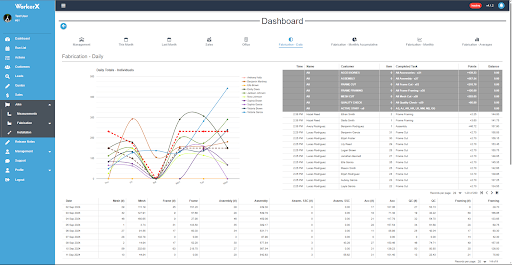
- Office and fabrication. Quote and office metrics, plus daily and monthly points for factory staff.
- Custom dashboards. Tailor a view to any part of the business, from sales to fabrication to staff.
On the roadmap
Coming soon to WorkerX
In development, not yet available.
Stock and inventory
Real-time stock levels with automated restocking alerts.
Wholesale portal
Bulk ordering with volume-based pricing for key clients.
Layout drawing notepad
Sketch custom layouts and combine them with uploaded images.
Automatic mesh-cut optimisation
Calculate the most efficient cutting patterns to cut material waste.
See where the money is leaking
Book a demo and we will show you, on your own numbers, how WorkerX tightens quoting, costing and the factory floor.